Using Disposable Email for Account Verification: Security Best Practices
Account verification is everywhere. Whether you're signing up for a streaming service, downloading software, accessing exclusive content, or creating a new app account, you're constantly asked to verify your email address.
But here's the dilemma: verification protects security, yet using your real email compromises privacy.
Every time you verify an account with your personal email, you're creating a connection between your identity and that service. Your email becomes a tracking point, a spam magnet, and a potential vulnerability if that service gets breached.
The solution? Disposable email for account verification.
When done correctly, disposable email addresses (also called temporary email or temp mail) provide the security benefits of verification while protecting your privacy and preventing spam. But there's a right way and a wrong way to do it.
This comprehensive guide will teach you the security best practices for using disposable email for account verification, ensuring your accounts remain secure, your identity stays private, and you never get locked out of important services.
Whether you're a privacy enthusiast, a security-conscious professional, or simply someone tired of spam, this guide will show you exactly how to verify accounts safely with temporary email addresses.
Understanding Account Verification: Why It Exists
Before diving into best practices, let's understand what account verification is and why services require it.
What Is Account Verification?
Account verification is the process of confirming that:
- The email address you provided is real and accessible
- You have control over that email address
- You're a legitimate human user, not a bot
- There's a valid contact method if you forget your password
The typical verification process:
- You enter an email address during signup
- Service sends a verification email to that address
- You receive an email with a confirmation link or code
- You click the link or enter the code
- Account is activated and verified
Why Services Require Verification
Legitimate Security Reasons:
1. Bot Prevention
- Stops automated systems from creating thousands of fake accounts
- Reduces spam and abuse on platforms
- Maintains service quality and integrity
2. Account Recovery
- Provides a way to reset forgotten passwords
- Allows users to regain access if locked out
- Prevents permanent loss of accounts and data
3. Communication Channel
- Enables important security notifications
- Allows service updates and critical information
- Facilitates two-factor authentication
4. Terms of Service Enforcement
- Creates accountability for user actions
- Makes banning violators effective (can't instantly create a new account)
- Discourages malicious behavior
5. Fraud Prevention
- Reduces financial fraud in payment systems
- Verifies identity for sensitive operations
- Protects both users and service providers
These are all valid reasons—and disposable email can satisfy them while protecting your privacy.
The Privacy vs. Security Trade-off
Traditional Thinking:
- More verification = more security
- Real email = verified identity
- Privacy = less security
Reality:
- Verification ≠ exposure of real identity
- Disposable email can be verified
- Privacy + security are compatible
The key is doing it right.
The Risks of Using Real Email for Account Verification
Before we cover best practices, let's examine why using your real email for every verification is problematic:
Risk 1: Spam Accumulation
The Problem: Every verified account adds you to marketing lists. Services send:
- Promotional emails
- Product updates
- Partnership offers
- "We miss you" campaigns
- Surveys and feedback requests
The Statistics:
- 67% of websites share emails with third parties
- The average user receives 121 emails per day, 50% are unwanted
- Unsubscribe success rate is only 60%. Many continue sending anyway
The Result: Your verified real email becomes overwhelmed with spam, making it hard to find important messages.
Risk 2: Data Breach Exposure
The Problem: When services get breached (and they do frequently), verified email addresses are exposed.
The Numbers:
- 2,200+ breaches in 2025
- 5.9 billion records exposed
- Average cost of breached email: $150 per record
- Your email was potentially exposed in multiple breaches
The Danger: Once exposed:
- Your email appears on spam lists
- Hackers use it for phishing attempts
- Used in credential stuffing attacks
- Sold on dark web marketplaces
Risk 3: Identity Correlation
The Problem: Using the same email for multiple verifications connects your identity across services.
How It Works:
- Service A knows you're interested in fitness
- Service B knows you're politically liberal
- Service C knows your shopping habits
- Data brokers merge this information
- Comprehensive profile created without your knowledge
The Impact:
- Targeted advertising follows you everywhere
- Insurance companies adjust rates based on profiles
- Employers make hiring decisions based on data
- Political campaigns micro-target you
Risk 4: Social Engineering Vulnerability
The Problem: Verified real email provides information for social engineering attacks.
Attack Vector:
- A hacker learns your real email from a breach
- Sees which services you use (from breach data)
- Craft a convincing phishing email
- "Your [Service] account has suspicious activity."
- You're more likely to click because you DO have that account
Prevention: Disposable email for verification means breached lists don't reveal your real email or the actual services you use.
Risk 5: Account Hijacking Chain Reaction
The Problem: If attackers compromise your primary email, they can reset passwords on ALL accounts verified with that email.
The Domino Effect:
- Primary email hacked
- Attacker requests password resets on banking, social media, and shopping
- Reset emails go to the compromised email
- Attacker gains access to everything
- Complete identity theft
The Solution: Compartmentalization through disposable emails limits damage—compromising one temp email doesn't give access to all accounts.
How Disposable Email for Account Verification Works
Now, let's understand how to properly use a temporary email for verification while maintaining security:
The Secure Process
Step 1: Risk Assessment. Before creating any account, assess its importance:
Critical Accounts (Use Real Email):
- Banking and financial institutions
- Government services
- Healthcare providers
- Primary employment email
- Accounts with financial information
Medium-Priority Accounts (Use Secondary Real Email):
- Major retailers you use frequently
- Established subscription services
- Professional networking (LinkedIn)
- Primary social media accounts
Low-Priority Accounts (Use Disposable Email):
- Free trials and testing
- One-time downloads
- Newsletter subscriptions
- Forums and communities
- Services you might not keep using
- Anything high-risk or untrusted
Step 2: Generate Secure Disposable Email
Visit a reputable service like https://mailditch.com:
- Instant email generation (no signup required)
- Multiple domain options for flexibility
- Real-time verification code delivery
- Secure transmission (SSL/TLS encryption)
Security Considerations:
- Choose a reputable provider (not sketchy free services)
- Verify the service uses encryption
- Check privacy policy (no data logging)
- Ensure reliable delivery for verification codes
Step 3: Perform Verification
Use your disposable email for account creation:
- Enter temp email in the signup form
- Complete registration
- Receive verification email instantly
- Click the confirmation link or copy the code
- Return to service and verify
- Account activated securely
Step 4: Secure the Account Post-Verification
After verification:
- Set a strong, unique password
- Enable two-factor authentication (if available)
- Configure security settings
- Add backup authentication methods (if keeping long-term)
Step 5: Manage Long-Term Access
Decision point:
- Short-term account: Let the disposable email expire, burn it
- Long-term account: Use MailDitch Premium to maintain email access
- Critical account: Migrate to real email if it becomes important
Best Practice #1: Choose the Right Disposable Email Service
Not all temporary email services are created equal. Security requires choosing wisely.
Essential Security Features
1. No Registration Required
- Services requiring personal info defeat the purpose
- Look for instant email generation
- MailDitch provides emails without any sign-up
2. Encrypted Transmission
- All emails should use SSL/TLS encryption
- Verify HTTPS in the browser address bar
- Protects verification codes in transit
3. Automatic Deletion
- Messages should auto-delete after expiration
- Prevents long-term data exposure
- Configurable retention periods are ideal
4. No Data Logging
- Service shouldn't log your IP, device info, or behavior
- Review the privacy policy carefully
- MailDitch doesn't store personally identifiable information
5. Malware Scanning
- Incoming emails should be scanned for viruses
- Protects you from malicious verification emails
- MailDitch automatically scans all attachments
6. Multiple Domain Options
- Ability to switch domains if one is blocked
- Increases reliability for verification
- MailDitch offers multiple domain choices
7. Real-Time Delivery
- Verification codes must arrive instantly
- No refresh needed to see new messages
- MailDitch provides live inbox updates
8. Mobile Accessibility
- Access from any device for convenience
- Responsive design for all screen sizes
- QR code access for quick mobile opening
Red Flags to Avoid
❌ Services that require personal information to use
❌ No clear privacy policy or sketchy practices
❌ Ads that could track you
❌ Slow or unreliable email delivery
❌ No encryption (HTTP instead of HTTPS)
❌ Complicated interface that confuses users
❌ Services known to sell user data
Recommendation: MailDitch meets all security criteria while providing a user-friendly experience.
Best Practice #2: Use Different Disposable Emails for Different Purposes
Security through compartmentalization—don't reuse the same temp email everywhere.
Why Segregation Matters
Security Benefits:
- Breach Containment: If one service is breached, only that specific temp email is exposed
- Spam Tracking: Identify exactly which service sold/leaked your email
- Account Isolation: Compromising one temp email doesn't affect others
- Privacy Enhancement: Prevents correlation across services
Categorization Strategy
Category 1: Testing/Trials
- Purpose: Short-term testing of services
- Retention: 10-30 minutes
- Example: Software trials, free downloads
- Strategy: Burn immediately after use
Category 2: Forums/Communities
- Purpose: Participation in online communities
- Retention: Longer-term (weeks to months)
- Example: Reddit-style forums, discussion boards
- Strategy: Separate email per forum category
Category 3: Shopping/E-commerce
- Purpose: Online purchases from less-trusted retailers
- Retention: Until order received and verified
- Example: New online stores, international shopping
- Strategy: One email per merchant or order
Category 4: Newsletter/Content
- Purpose: Accessing gated content or subscriptions
- Retention: Until the content value is assessed
- Example: Industry newsletters, gated articles
- Strategy: Evaluate content, then either subscribe with a real email or let the temp email expire
Category 5: Social Media Alternatives
- Purpose: Alternative or anonymous social accounts
- Retention: Long-term
- Example: Pseudonymous Twitter, anonymous Instagram
- Strategy: MailDitch Premium for extended access
Implementation Tips
Use Naming Conventions: Track which temp email is for what:
[email protected]for e-commerce[email protected]for tech forums[email protected]for trials
Password Manager Integration: Store each temp email with its associated:
- Service name
- Username
- Password
- Purpose/category
- Creation date
- Expiration date (if known)
Regular Audits: Monthly review:
- Which temp emails are still needed?
- Which can be burned?
- Are any showing suspicious activity?
- Should any migrate to a permanent email?
Best Practice #3: Understand When NOT to Use Disposable Email
Security means knowing the limits of disposable email for verification.
Never Use Disposable Email For:
1. Financial Institutions
- Banks, credit unions, investment platforms
- Payment processors (PayPal, Stripe)
- Cryptocurrency exchanges with significant holdings
- Insurance providers
Why: Need reliable long-term access for security alerts, transaction notifications, and account recovery. Financial fraud consequences are too severe.
2. Government Services
- Tax portals (IRS, state revenue)
- Social security, Medicare, government benefits
- Licensing and permits
- Legal proceedings
Why: Legal and regulatory requirements often mandate verified contact information. Cannot risk losing access to critical government communications.
3. Healthcare Providers
- Primary care physicians, hospitals
- Health insurance portals
- Telemedicine platforms
- Prescription services
Why: Healthcare communications are time-sensitive and critical. HIPAA and privacy laws require reliable contact. Medical emergencies don't wait for expired temp emails.
4. Employment-Related Accounts
- Company email and systems
- Professional certifications
- Background check portals
- Payroll and benefits systems
Why: Employment requires accountability and reliable communication. Professional consequences of lost access are significant.
5. Education Platforms
- University portals, student accounts
- Degree programs and certifications
- Financial aid systems
- Transcript services
Why: Educational records are long-term and legally important. Cannot risk losing access to transcripts, grades, or degree verification.
6. Primary Cloud Storage
- Services for storing important documents
- Photo libraries with irreplaceable memories
- Backup systems
- Collaborative workspaces with critical data
Why: If the temp email expires and you lose the password, all stored data could be permanently inaccessible.
7. Domain Registration and Hosting
- Domain registrars
- Web hosting providers
- SSL certificate authorities
- DNS management
Why: Domain and hosting require reliable contact for renewals, security updates, and technical support. Losing access could mean losing your website.
When Disposable Email Is Perfect:
✅ Services you're just testing or trying
✅ Content behind email gates (downloads, articles)
✅ Newsletter subscriptions (before committing)
✅ Forum and community registrations
✅ Non-critical gaming accounts
✅ Secondary social media profiles
✅ Shopping from unfamiliar retailers
✅ Free trials and promotional offers
✅ Event registrations and webinars
✅ Anything you might abandon later
The Rule: Use a disposable email when convenience and privacy outweigh the risk of losing access.
Best Practice #4: Implement Proper Password Security
Disposable email verification doesn't negate the need for strong password practices.
Password Principles for Verified Accounts
1. Unique Passwords for Every Account
Even with disposable email:
- Never reuse passwords across services
- If one account is breached, others remain safe
- Use a password manager to generate and store unique passwords
Example:
- Account A (temp email): Password_A_unique_strong_123!
- Account B (same temp email): Password_B_completely_different_456#
- Account C (different temp email): Password_C_totally_unique_789$
2. Password Strength Requirements
Every password should be:
- At least 16 characters (longer is better)
- Mix of uppercase, lowercase, numbers, symbols
- Not dictionary words or common phrases
- Not personal information (names, dates, addresses)
- Randomly generated by a password manager
3. Password Manager Is Essential
Managing multiple accounts with disposable emails and unique passwords is impossible without a password manager:
Recommended Features:
- Encrypted password storage
- Password generator
- Browser integration
- Mobile app sync
- Secure notes (for temp email tracking)
- Two-factor authentication support
Popular Options:
- Bitwarden (open source, free)
- 1Password (user-friendly, paid)
- KeePassXC (offline, maximum security)
- Dashlane (feature-rich, paid)
4. Password for Temp Email Accounts Can Be Simpler
Exception: If using disposable email for truly temporary, low-value accounts you'll abandon:
- Can use a simpler password (still unique though)
- No need for maximum security on throwaway account
- Balance security with practicality
But: Always use strong passwords for:
- Accounts you'll keep long-term
- Anything involving payment
- Accounts with personal information
- Anything you'd care about losing
Password Recovery Considerations
The Dilemma: Password recovery usually requires access to the verification email. If the temp email expires, recovery becomes impossible.
Solutions:
For Short-Term Accounts:
- Accept that password loss = account loss
- Don't use it for anything irreplaceable
- Treat as truly disposable
For Long-Term Accounts:
- Use MailDitch Premium to keep email accessible
- Save important emails to favorites
- Set up alternative recovery methods (security questions, backup email)
- Document the password in a password manager
For Critical Accounts:
- Don't use disposable email at all
- Use a real email; you'll always have access to
- Set up multiple recovery options
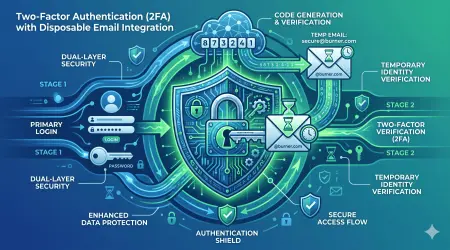
Best Practice #5: Enable Two-Factor Authentication (Where Possible)
2FA adds a security layer independent of email verification.
What Is Two-Factor Authentication?
Definition: Two-factor authentication (2FA) requires two different types of verification:
- Something you know (password)
- Something you have (phone, security key, authenticator app)
How It Works:
- Enter username and password (first factor)
- Receive code via SMS, app, or hardware key (second factor)
- Enter code to complete login
- Account access granted
Why It Matters: Even if the password is compromised, the attacker can't access the account without the second factor.
2FA Methods and Disposable Email Compatibility
Method 1: SMS-Based 2FA
- Codes sent via text message
- Requires phone number
- Compatible with disposable email: Yes
- Security level: Medium (SIM swapping vulnerability)
Method 2: Authenticator Apps
- Codes generated by app (Google Authenticator, Authy, etc.)
- Time-based, changes every 30 seconds
- Compatible with disposable email: Yes, excellent option
- Security level: High
Method 3: Hardware Security Keys
- Physical device (YubiKey, Titan Key)
- Plug into the computer or tap on the phone
- Compatible with disposable email: Yes, best option
- Security level: Highest
Method 4: Backup Codes
- One-time codes for emergency access
- Compatible with disposable email: Yes
- Security level: Medium (only as secure as where you store them)
Method 5: Email-Based 2FA
- Codes sent to your email
- Compatible with disposable email: Yes, but requires a temp email to remain accessible
- Security level: Low (defeats purpose if email is compromised)
Best Practice Implementation
For Accounts Using Disposable Email:
1. Set Up Authenticator App 2FA
- Download Google Authenticator, Authy, or Microsoft Authenticator
- Scan the QR code when enabling 2FA on the account
- Codes generate locally on your device
- No dependency on email access
Advantage: Even if the temp email expires, you can still log in via authenticator.
2. Save Backup Codes
- Most services provide backup codes when enabling 2FA
- Save these in a password manager or secure location
- Use if you lose access to the 2FA device
3. Consider Hardware Key
- For higher-value accounts using disposable email
- Provides maximum security
- Independent of email access
4. Avoid SMS 2FA
- Unless it's the only option
- More vulnerable than authenticator apps
- SIM swapping attacks can bypass
The Security Hierarchy
Most Secure (Best to Worst):
- Hardware security key
- Authenticator app
- Backup codes (when stored securely)
- SMS codes
- Email codes
For disposable email accounts, prioritize authenticator apps or hardware keys.
Best Practice #6: Save Critical Verification Emails Before Expiration
Some verification emails contain information you might need later.
What to Save
Important Verification Content:
1. Order Confirmations
- Purchase receipts
- Tracking numbers
- Order details
- Warranty information
2. Account Details
- Username or account number
- Registration confirmation
- Account ID numbers
- Initial setup information
3. License Keys
- Software licenses
- Activation codes
- Product keys
- Serial numbers
4. Terms of Service
- Service agreements
- Privacy policies (as of signup date)
- Contract terms
- Cancellation policies
5. Backup Codes
- 2FA backup codes
- Recovery codes
- Emergency access information
How to Save
Method 1: MailDitch Favorites
- MailDitch Premium allows saving emails to favorites
- Emails saved indefinitely
- Accessible even after the temp email expires
- Best for important verification emails you'll reference later
Method 2: Screenshots
- Simple and universal
- Capture entire email content
- Store in a secure folder
- Good for license keys and codes
Method 3: Copy to Note-Taking App
- Copy important text from the verification email
- Paste into Evernote, OneNote, Apple Notes, etc.
- Tag and organize
- Searchable later
Method 4: PDF Export
- Print verification email to PDF
- Store in an organized folder structure
- Backup to cloud storage
- Professional and permanent
Method 5: Password Manager Secure Notes
- Most password managers have a secure notes feature
- Store verification details with the associated account entry
- Encrypted and synchronized across devices
- Keeps everything in one place
Organization System
Suggested Folder Structure:
Verification Emails/
  ├── Shopping/
  │   ├── Order Confirmations/
  │   └── Return Information/
  ├── Software/
  │   ├── License Keys/
  │   └── Activation Codes/
  ├── Accounts/
  │   ├── Account IDs/
  │   └── Registration Details/
  └── Legal/
      ├── Terms of Service/
      └── Contracts/
Naming Convention: [Date]_[Service]_[Type].pdf
Example: 2026-01-15_Adobe_LicenseKey.pdf
Best Practice #7: Monitor for Suspicious Verification Activity
Security requires vigilance even with disposable email accounts.
What to Watch For
Red Flag 1: Unexpected Verification Emails
- You receive verification for an account you didn't create
- Someone attempted to use your temp email
- Could indicate:
- Accidental typo by someone else
- Attempt to hijack your temp email
- Service compromise
Action: If the temp email receives unexpected verification, investigate. Don't click links blindly.
Red Flag 2: Multiple Verification Attempts
- Receiving repeated verification emails
- Could indicate:
- Automated attack
- Service malfunction
- Someone is trying to access your account
Action: If using MailDitch Premium for a long-term account, investigate the account directly.
Red Flag 3: Verification from Unknown Services
- An email arrives for a service you never signed up for
- Could indicate:
- An email address typo by another user
- Spam/phishing attempt
- Your temp email was compromised
Action: Don't interact with suspicious emails. Delete and possibly burn the temp email.
Red Flag 4: Phishing Disguised as Verification
- "Verify your account" emails after you've already verified
- Urgency language ("verify now or account suspended")
- Suspicious sender address
- Could indicate:
- Phishing attempt
- Credential harvesting
- Malware distribution
Action: Never click. Verify by logging into the service directly (not via email link).
Monitoring Tools
1. MailDitch Inbox Regular Checks For accounts you're keeping:
- Check your disposable email inbox weekly
- Look for security notifications
- Watch for unusual activity
- Review verification patterns
2. Have I Been Pwned
- Check if temp emails appear in data breaches
- Enter temp emails at https://haveibeenpwned.com
- If compromised, consider burning and creating a new account
3. Account Activity Logs Many services show login history:
- Review recent logins
- Check for unfamiliar devices or locations
- Verify all activity is yours
4. Password Manager Alerts Some password managers alert to:
- Breached passwords
- Duplicate passwords
- Weak passwords
- Update recommendations
Best Practice #8: Have an Exit Strategy
Know when and how to abandon disposable email accounts.
When to Burn Your Temp Email
Scenario 1: Account No Longer Needed
- Completed trial period
- Got the download you wanted
- Event or promotion ended
- Service didn't meet expectations
Action: Simply let the temp email expire. No further action needed.
Scenario 2: Security Compromise
- Temp email appeared in a data breach
- Account shows suspicious activity
- Verification emails from unknown sources
- Feel the account is compromised
Action: Burn immediately. Delete the account if valuable, or abandon it if not.
Scenario 3: Spam Overwhelm
- Temp email receiving excessive spam
- Verification email sold to marketing lists
- Unwanted promotional content is flooding the inbox
Action: Burn and generate a fresh temp email if you need to recreate the account.
Scenario 4: Platform Detection
- Service started blocking temp email domains
- Account flagged as suspicious for using a disposable email
- The platform requires "real" email verification
Action: Decide if the account is worth migrating to a real email, or abandon it.
Scenario 5: Upgrading to Important Account
- Started with a temp email for testing
- Now want to keep the account long-term
- Account has become valuable or critical
Action: Migrate to real email through account settings (if allowed).
How to Properly Burn
Step 1: Evaluate Account Value
- Is there any data worth saving?
- Do you need order confirmations or information?
- Save anything important before proceeding
Step 2: Document Account Details
- Save username, password to password manager (mark as "burned")
- Note date burned and reason
- Keep a record in case of future issues
Step 3: Clean Up Account
- Delete posted content if desired
- Remove personal information from the profile
- Disconnect any linked services
Step 4: Delete Account (If Possible)
- Many services offer account deletion
- Better to delete than abandon for privacy
- Follow the service's deletion process
Step 5: Burn the Email
- Let the temp email expire naturally
- Or manually delete from MailDitch if that option exists
- Don't maintain access to burned emails
Step 6: Update Records
- Mark the account as closed in the password manager
- Remove from active account lists
- Archive for reference if needed
Best Practice #9: Use MailDitch Premium for Long-Term Verified Accounts
For accounts that need disposable email security but long-term access, Premium is essential.
Why Premium Matters for Account Verification
Free Disposable Email Limitations:
- Expires after 10 minutes to 48 hours
- Messages automatically deleted
- Can't retrieve old verification emails
- No password recovery if email expires
- Risk of account lockout
MailDitch Premium Benefits:
1. Extended Retention
- Keep temp emails active indefinitely
- Never lose access to verification emails
- Maintain password recovery ability
- Access security notifications long-term
2. Favorites Feature
- Save important verification emails permanently
- Even if the temp email expires, favorites remain
- Organize saved verification emails
- Quick access to license keys, confirmations, and codes
3. Custom Domains
- Create professional-looking temp emails
- Less likely to be blocked by services
- Appears more legitimate for verification
- Better for semi-permanent accounts
4. Unlimited History
- Track all temp emails you've created
- See which email is used for which service
- Never lose track of account verification emails
- Comprehensive audit trail
5. Ad-Free Experience
- Cleaner interface
- Faster performance
- No tracking from ad networks
- Better privacy overall
6. Priority Support
- Help if verification emails don't arrive
- Assistance with account issues
- Faster response to problems
- Peace of mind for important verifications
When to Upgrade to Premium
Signals You Need Premium:
✅ Using disposable email for accounts you'll keep 6+ months
✅ Need reliable access to verification emails long-term
✅ Want to save important verification content
✅ Creating multiple accounts requiring tracked verification
✅ Using temp email for semi-critical accounts
✅ Frustrated by free tier limitations
✅ Need password recovery capability
✅ Want professional-looking temp email addresses
✅ Value ad-free, distraction-free experience
Cost-Benefit Analysis:
Premium Investment:
- Small monthly or annual fee
- Professional temp email service
- Peace of mind for account verification
Value Received:
- Never lose important verification emails
- Maintain access to all verified accounts
- Save critical verification information
- Better success rate with verification (custom domains)
- Time saved not recreating accounts
- Reduced stress about account access
For active users of disposable email verification, Premium pays for itself quickly.
Common Mistakes to Avoid
Learn from others' errors, avoid these common pitfalls:
Mistake 1: Using Temp Email for Critical Accounts
The Error: Using a disposable email to verify a bank account, healthcare portal, or government service.
The Consequence:
- Temp email expires
- Forget password
- Cannot recover account
- Permanently locked out of critical service
The Fix: Always use a real, permanent email for critical accounts requiring long-term, reliable access.
Mistake 2: Not Saving Verification Information
The Error: Receiving license key, confirmation code, or important details in verification email, then letting it expire without saving.
The Consequence:
- Lost access to purchased software
- Can't prove purchase or warranty
- No record of account details
- Have to contact support or repurchase
The Fix: Screenshot, export, or save to MailDitch favorites before expiration.
Mistake 3: Reusing the Same Disposable Email Everywhere
The Error: Creating one temp email and using it for dozens of accounts.
The Consequence:
- Defeats the privacy purpose
- If compromised, all accounts are vulnerable
- Can't identify spam source
- Comprehensive profile still being built
The Fix: Generate a new temp email for each service or category of services.
Mistake 4: Forgetting Which Email Was Used for Which Account
The Error: No system for tracking which temp email verified which account.
The Consequence:
- Need to verify the account, but don't know which email was used
- Can't access verification emails
- Difficult to recover or troubleshoot accounts
- Confusion when managing multiple accounts
The Fix: Use a password manager to document the temp email used for each account.
Mistake 5: Not Checking Verification Email Promptly
The Error: Signing up with a temp email, then forgetting to check the inbox for verification.
The Consequence:
- Verification link expires (often 24-48 hours)
- Account remains unverified
- Can't access the service
- Have to start over with new verification
The Fix: Check your disposable email inbox immediately after signing up. Complete verification promptly.
Mistake 6: Clicking Phishing Links in Verification Emails
The Error: Blindly clicking any "verify your account" email without scrutiny.
The Consequence:
- Malware installation
- Credential theft
- Account compromise
- Identity theft
The Fix: Verify sender, check URL before clicking, use MailDitch's malware scanning, and be skeptical.
Mistake 7: Using Sketchy Temp Email Services
The Error: Using untrustworthy disposable email providers that log data or have security vulnerabilities.
The Consequence:
- Your verification emails are monitored
- Personal information collected
- Security codes intercepted
- Accounts compromised
The Fix: Use reputable services like MailDitch with clear privacy policies and security measures.
Advanced Verification Strategies
Take your disposable email security to the next level:
Strategy 1: Dual Verification System
The Concept: Use both disposable email and real email for different verification stages.
How It Works:
- Initial signup: Disposable email
- Use the service for a trial period
- If keeping long-term: Upgrade to a real email in account settings
- Maintain a disposable email as a backup if the platform allows multiple addresses
Benefits:
- Start private, upgrade to permanent only if needed
- Test services without risk
- Transition to security without losing the account
Strategy 2: The Verification Chain
The Concept: Use a disposable email to create a secondary real email, which then verifies critical accounts.
How It Works:
- Create a Gmail/Outlook account with disposable email verification
- This becomes your "secondary real email."
- Use a secondary real email (not primary) for medium-priority verifications
- Keep the primary email only for critical accounts
Benefits:
- An additional layer between the critical identity and services
- Compromise of the secondary doesn't affect the primary
- Can abandon secondary if too compromised
Strategy 3: The Time-Boxed Verification
The Concept: Create disposable emails with specific expiration aligned to service usage.
How It Works:
- Free trial for 30 days? Use a 30-day temp email
- Event registration for next week? Use a 10-day temp email
- Software download today only? Use a 1-hour temp email
- Time-box matches usage need
Benefits:
- Optimal security (shortest necessary exposure)
- Automatic cleanup (expires when no longer needed)
- Reduces maintenance overhead
Strategy 4: The Verification Email Honeypot
The Concept: Create unique disposable emails to track which services leak or sell your information.
How It Works:
- Generate a unique temp email for each service
- Name includes service identifier:
[email protected] - If spam appears at that address, you know CompanyX leaked it
- Burn compromised email and report/avoid that company
Benefits:
- Identify untrustworthy services
- Track data leaks precisely
- Hold companies accountable
- Inform others about privacy violations
The Future of Account Verification and Disposable Email
As we progress through 2026 and beyond, verification methods and privacy tools continue evolving:
Emerging Verification Technologies
Biometric Verification:
- Fingerprint, facial recognition, iris scanning
- Supplement or replace email verification
- More secure, but privacy concerns
- Disposable email is still needed for non-biometric services
Blockchain Identity:
- Decentralized identity verification
- User-controlled credentials
- Anonymous yet verifiable
- Could work alongside disposable email
Zero-Knowledge Proofs:
- Verify you're human without revealing identity
- Mathematical proof of eligibility
- Ultimate privacy-preserving verification
- Disposable email bridges current systems to the future
AI-Powered Bot Detection:
- More sophisticated CAPTCHA alternatives
- Behavioral analysis
- Less reliance on email verification
- Could reduce the need for verification altogether
The Disposable Email Evolution
Enhanced Features:
- Longer retention periods
- Better organizational tools
- Integration with identity managers
- Seamless account migration
Mainstream Adoption:
- More people are using disposable email
- Services are more accepting of temporary addresses
- Privacy becoming standard, not niche
- Built-in browser/OS support for temp email
Regulatory Support:
- Privacy laws mandating minimal data collection
- Right to anonymous account creation
- Legal protection for privacy tools
- Reduced the ability for services to require a real email
The Trend: Future verification will balance security needs with privacy rights, and disposable email will remain an essential tool.
Your Account Verification Security Action Plan
Ready to implement these best practices? Follow this comprehensive plan:
Week 1: Assessment and Preparation
Day 1-2: Audit Current Accounts
- [ ] List all online accounts you have
- [ ] Identify which use your real email
- [ ] Categorize by importance (critical, medium, low)
- [ ] Note which accounts get excessive emails
Day 3-4: Set Up Tools
- [ ] Visit https://mailditch.com and test the free service
- [ ] Decide if MailDitch Premium is needed for your usage
- [ ] Set up or organize a password manager
- [ ] Create a folder system for saved verification emails
Day 5-7: Learn Best Practices
- [ ] Review this guide thoroughly
- [ ] Understand when to use disposable vs real email
- [ ] Practice generating and using a temp email
- [ ] Test verification process on low-risk account
Week 2: Implementation
Day 8-10: Start Using Disposable Email
- [ ] Use temp email for next 5 new account signups
- [ ] Practice saving important verification emails
- [ ] Test different MailDitch domains
- [ ] Document temp email used in password manager
Day 11-14: Secure Existing Accounts
- [ ] Enable 2FA on critical accounts
- [ ] Review privacy settings on all accounts
- [ ] Identify accounts that could migrate to disposable email
- [ ] Unsubscribe from excessive marketing emails
Week 3-4: Optimization
Day 15-21: Develop Your System
- [ ] Create categorization strategy for accounts
- [ ] Establish naming conventions for temp emails
- [ ] Set up monitoring routine
- [ ] Implement exit strategy for burning accounts
Day 22-30: Advanced Implementation
- [ ] Try advanced verification strategies
- [ ] Optimize workflow for efficiency
- [ ] Consider upgrading to MailDitch Premium if needed
- [ ] Educate friends/family about disposable email security
Ongoing: Maintenance and Vigilance
Weekly:
- [ ] Check MailDitch inboxes for important notifications
- [ ] Verify account security (no suspicious logins)
- [ ] Use a disposable email for new signups
Monthly:
- [ ] Audit all accounts using disposable email
- [ ] Review saved verification emails
- [ ] Burn temp emails no longer needed
- [ ] Update passwords on important accounts
Quarterly:
- [ ] Comprehensive security audit
- [ ] Review and update verification strategy
- [ ] Check for data breaches affecting your accounts
- [ ] Assess if any accounts need email migration
Conclusion: Secure Verification Without Compromise
Account verification doesn't have to mean surrendering your privacy or drowning in spam. With the right approach, you can enjoy the security benefits of verification while maintaining control over your digital identity.
Using disposable email for account verification is about balance:
- Security without exposure
- Verification without spam
- Privacy without inconvenience
- Protection without paranoia
What you've learned in this comprehensive guide:
✅ Why account verification exists and its legitimate security purposes
✅ The real risks of using personal email for every verification
✅ How to properly use a disposable email for secure verification
✅ Nine essential best practices for maximum security
✅ When to use disposable email and when to avoid it
✅ Advanced strategies for power users
✅ Common mistakes and how to avoid them
✅ Practical implementation plan for immediate action
The key takeaways:
- Choose accounts wisely: Real email for critical, disposable for low-priority
- Use reputable services: MailDitch provides secure, reliable verification email
- Compartmentalize: Different temp emails for different purposes
- Save what matters: Important verification emails to favorites before expiration
- Enable 2FA: Adds security independent of email
- Stay vigilant: Monitor for suspicious verification activity
- Know your limits: Understand when disposable email isn't appropriate
- Use Premium strategically: For long-term accounts needing temp email security
- Have exit strategy: Know when and how to burn accounts
Start protecting your accounts today:
- Visit https://mailditch.com
- Generate your first secure disposable email (instant, no registration)
- Use it for your next account verification
- Experience security and privacy working together
Don't wait until your email is breached, your inbox is overwhelmed, or you lose access to an important account.
Protect yourself proactively with disposable email for account verification.
Join thousands who have discovered that secure verification and privacy protection aren't mutually exclusive—you can have both with the right tools and practices.
👉 Get Your Secure Disposable Email Now - Free, instant, secure.
Verify accounts securely. Protect your privacy. Stay in control.
Related Articles
- How to Protect Your Real Email from Spam and Phishing Attacks
- The Ultimate Guide to Free Temporary Email for Verification
- Stay Anonymous Online with Instant Email Address No Registration
- Stop Spam Forever: How Burner Mail Service Protects Your Inbox
- Fake Email Generator for Social Media: Complete Privacy Guide
Secure Your Account Verifications
Quick Links:
- Create Secure Disposable Email
- Upgrade to Premium Features
- Read Security Documentation
- Contact Security Support
About This Guide: Created by security experts at MailDitch, dedicated to helping users verify accounts securely while protecting privacy.
Last Updated: January 2026
Share this guide with anyone concerned about account security and verification. Help build a more secure internet.
Questions about secure account verification? Comment below, and our security team will help you implement these best practices!